Turn ideas, plans, and pitches into a formal presentation. With Gamma.
You already have the substance — scattered notes, a business plan, a pitch paragraph, a product brief. This guide walks you from that raw material to a designed, shareable deck you would actually send to an investor, customer, or team.
Most people finish a sendable deck in 45–60 minutes — about 30 minutes on your message, 15–30 minutes in Gamma for outline, generation, and polish.
What this is — and what it isn't
A message-first workflow for formal decks — not a design course or PowerPoint tutorial.
A formal presentation document is a structured argument: problem → solution → proof → ask, with consistent visuals and a clear narrative arc. Gamma handles layout, typography, and imagery; your job is to supply the thinking and tighten the story.
This is not about learning slide design theory. It is about turning what you already know into something polished enough to send — in under an hour.
Phase 1 — Offline
Shape your message
Gather notes, fill the outline template, define audience and ask. ~30 min.
Phase 2 — In Gamma
Design and share
Paste, edit outline, generate, refine, export. ~15–30 min.
Why Gamma instead of starting from scratch?
Blank slides eat hours. This workflow gets you to sendable faster without hiring a designer.
| Approach | Typical time | Cost | Best for |
|---|---|---|---|
| Blank PowerPoint / Google Slides | 4–8+ hrs | Free–$12/mo | Full manual control |
| Hire a designer | 1–3 weeks | $500–5k+ | Brand-polished investor pitch |
| One-line AI prompt | 5 min | Free–$ | Quick drafts — often generic |
| This guide (notes → Gamma) | 45–60 min | Free tier + optional Pro | Founder & operator decks |
What good Gamma output looks like
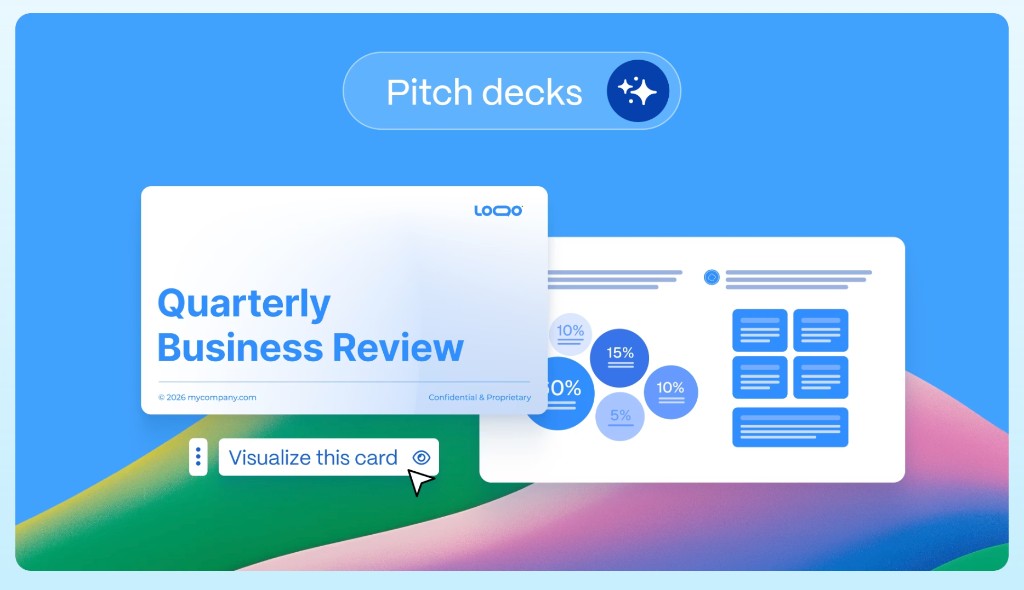
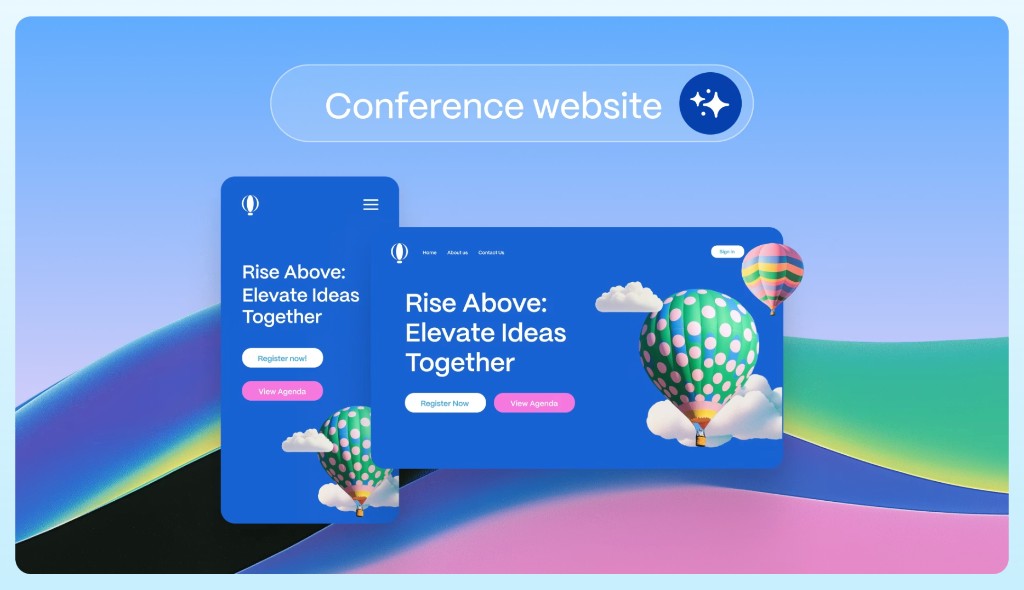
Real product examples from gamma.app/products — pitch decks and websites from the same AI design layer.
Phase 1 — Prepare your source material
Open a doc, collect what you have, and shape it before touching Gamma.
# [Working title]

## Audience
Who is this for? (investors, customers, team, partners)

## Goal
What should they do or believe after this deck?

## Problem
What pain or gap are you addressing?

## Solution
What you do, in one paragraph.

## Why now
Market timing, urgency, or tailwind.

## Traction / proof
Metrics, logos, quotes, milestones — even early signals count.

## Business model
How you make money (or will).

## Ask / next step
Funding amount, partnership, pilot, or decision you need.

## Key points
- Bullet 1
- Bullet 2
- Bullet 3The full walkthrough — 11 steps
Follow in order. Time badges are estimates — your first deck may take a bit longer.
Phase 1 — Prepare your source material
Define audience and goal
5 minWrite two sentences at the top of your doc: who will see this deck, and what you want them to do afterward (invest, buy, approve a budget, join a pilot). Every slide should serve that goal.
Fill in the narrative skeleton
15 minCopy the outline template below into your notes app and replace placeholders with your actual content. For a pitch deck, hit every section. For internal plans, keep Problem, Solution, and Next step at minimum.
One idea per block
5 minBreak dense paragraphs into short bullets or labeled sections. Gamma maps blocks to slides — walls of text become unreadable decks. Split any section with more than five bullets into two headings.
Mark optional vs. essential
5 minTag slides you can cut if time runs short. Your live talk might be 10 slides; your leave-behind PDF might be 15. Knowing the difference upfront saves rework.
Phase 2 — Build the deck in Gamma
Create an account and start a presentation
3 minSign up at Gamma (free tier includes AI credits). On the dashboard, click Create new (or New with AI) → choose Presentation for slide decks. UI labels change occasionally — if you don't see exact wording, look for the AI creation flow.
Paste your content (recommended path)
5 minChoose Paste text and paste your Phase 1 doc. Select Generate from notes or outline for structured material. Use Summarize long text for full business plans. Use Import if your source is a PDF, URL, or existing file instead of notes.
Set format, density, and tone
3 minPick Traditional (16:9) for screens and projectors. Set text density to Medium for most business decks, or Low if you will speak over sparse slides. Add audience and tone, e.g. "Series A investors, confident and data-driven."
Edit the outline before you generate
10 minGamma shows a card outline — slide titles and key points — before building the deck. Do not skip this. Reorder cards, rename weak titles, delete filler, and add missing sections (team, financials, roadmap). This is the highest-leverage step.
Pick a theme and generate
2 minChoose a visual theme that fits your audience — clean and minimal for investors, bold for product launches. Click generate. Gamma builds the full deck in roughly 30–60 seconds with consistent typography, layout, and imagery.
Refine with the editor and AI agent
15 minEdit text inline, drag sections, swap images, and open the sparkle / Agent panel for plain-English edits: "Shorten slide 4 to three bullets" or "Add a traction slide after the solution." Add speaker notes for live presentations.
Present, share, or export
5 minClick Share: Present for live meetings, share link for async review, export PDF for email leave-behinds, or export PPTX / Google Slides when someone needs to edit in PowerPoint. Spot-check exports before sending.
Direct link (no referral): gamma.app
What to make with this workflow
Pick a deck type, use the outline hint, and paste into Gamma.
Investor pitch deck
~50 minProblem · Solution · Market · Traction · Team · Ask
Seed to Series A. Lead with pain, prove momentum, end with a clear funding ask.
Sales & customer deck
~45 minPain · Product · ROI · Case study · Pricing · Next step
Buyer-focused. Emphasize outcomes and social proof over feature lists.
Internal strategy review
~40 minContext · Goals · Plan · Metrics · Risks · Decisions needed
Skip market sizing unless relevant. Focus on what leadership must decide.
Workshop & training
~55 minLearning goal · Agenda · Concepts · Exercise · Summary · Resources
One idea per slide. Add speaker notes — you will talk more than you show.
One-pager expanded
~35 minHook · Problem · Solution · Proof · Contact / CTA
Start from a single-page brief and grow it into a fuller narrative without redesigning from scratch.
Partner / ecosystem pitch
~45 minOpportunity · Integration · Mutual value · Timeline · Pilot ask
Frame around shared upside, not just your product features.
Watch Gamma in action
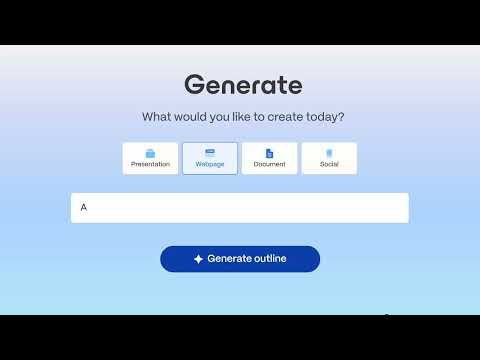
Short official demos from @meetgamma — start with Presentations if you are following this guide.

Presentations
Official Gamma look at AI-generated decks — pitch, QBR, and more.
Websites
Turn the same workflow into a responsive site you can publish.

Social media content
Repurpose a deck or outline into platform-ready posts.

Introducing Gamma
Official overview — presentations, websites, and documents powered by AI.

AI for presenting ideas, beautifully
Short official demo of structure, content, and visuals in minutes.
More from the Gamma product family
This guide focuses on presentations. Same account covers the rest — browse the products hub.
Presentations →
Pitch decks, QBRs, sales proposals, keynotes — export to PPT, PDF, or Google Slides.
Pitch decks →
Founder-focused templates and AI generation for fundraising and deals.
Websites →
Responsive sites from a prompt or doc — publish to a Gamma subdomain or custom domain.
Documents →
One-pagers, proposals, and visual long-form docs with share links and PDF export.
Social media →
LinkedIn carousels, stories, and banners sized for the feed.
Graphics →
On-brand illustrations and infographics via Gamma’s AI design agent.
Honest answers to common questions
Decision anxiety, answered — before you spend an hour in the tool.
Is Gamma free?
Yes — Gamma offers a free tier with AI credits to create and edit decks. Paid plans unlock more credits, branding controls, and advanced features. You can complete your first sendable deck on the free tier following this guide.
How long does a first deck really take?
Most people finish a sendable deck in 45–60 minutes: roughly 30 minutes shaping your message in Phase 1, and 15–30 minutes in Gamma for outline, generation, and polish. A simple internal update can be faster; a fundraising deck with custom data takes longer.
Will the deck look generic?
Only if you start from a one-line prompt. Pasting your own structured notes keeps the content original. Generic visuals are fixed in the edit: swap images, tighten headlines, and cut filler slides.
Can I export to PowerPoint or Google Slides?
Yes. Gamma exports to PDF, PPTX, and Google Slides. PDF is best for leave-behinds. PPTX is for teams that live in PowerPoint — spot-check the export before sending, since complex layouts occasionally shift.
Do I need design skills?
No. Gamma handles layout, typography, and imagery. Your job is the message: who is the audience, what is the problem, what proof do you have, and what do you want them to do.
What if Gamma's UI looks different from this guide?
Gamma updates its interface regularly. The workflow stays the same: paste structured content → edit the outline → generate → refine → share. Check the official Gamma Help Center if a button has moved.
Troubleshooting
The deck feels generic
You probably used a one-line prompt instead of pasted notes. Go back to Phase 1, add specific metrics, names, and your own wording, then regenerate from Paste text.
Too many slides / wall of text
Lower text density in settings, or edit the outline to merge cards. Cut appendix material to the end or a separate doc.
Images do not match the story
Replace AI picks manually, or add visual keywords to your source doc ("show: dashboard screenshot, happy customer").
Export to PowerPoint looks wrong
Simplify busy slides before export, or export PDF for a pixel-perfect leave-behind and keep the editable version in Gamma.
Quick reference checklist
Print this mentally before your next deck.
- Write audience + goal in one doc.
- Fill problem, solution, proof, ask (use the template).
- Paste into Gamma → Presentation → Paste text.
- Choose "generate from notes or outline."
- Edit the card outline before generating.
- Pick a theme; generate the deck.
- Refine copy, images, and speaker notes.
- Export PDF or share link; spot-check PPTX if needed.
Pass it on
Know a founder who needs a deck this week?
If this guide saved you time, send it to a co-founder, advisor, or teammate building their first pitch.
Your notes are the deck. Gamma is the design layer.
Shape your message in 30 minutes, polish in Gamma in 30 more — and you have a formal presentation worth sending.
Direct link (no referral): gamma.app